How it works
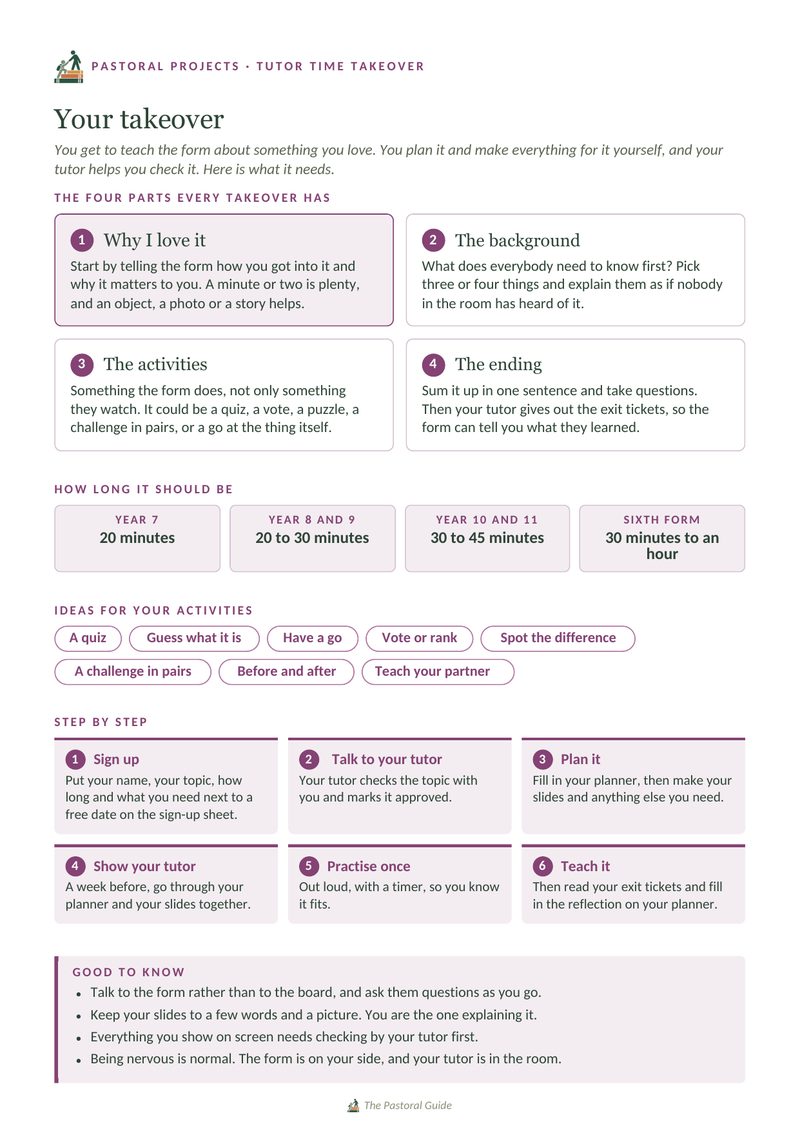
What every takeover has in it
Why I love it
Start by telling the form how you got into it and why it matters to you. A minute or two is plenty, and an object, a photo or a story helps.
The background
What does everybody need to know first? Pick three or four things and explain them as if nobody in the room has heard of it.
The activities
Something the whole form gets to do. It could be a quiz, a vote, a puzzle, a challenge in pairs, or a go at the thing itself.
The ending
Sum it up in one sentence and take questions. Then your tutor gives out the exit tickets, so the form can tell you what they learned.
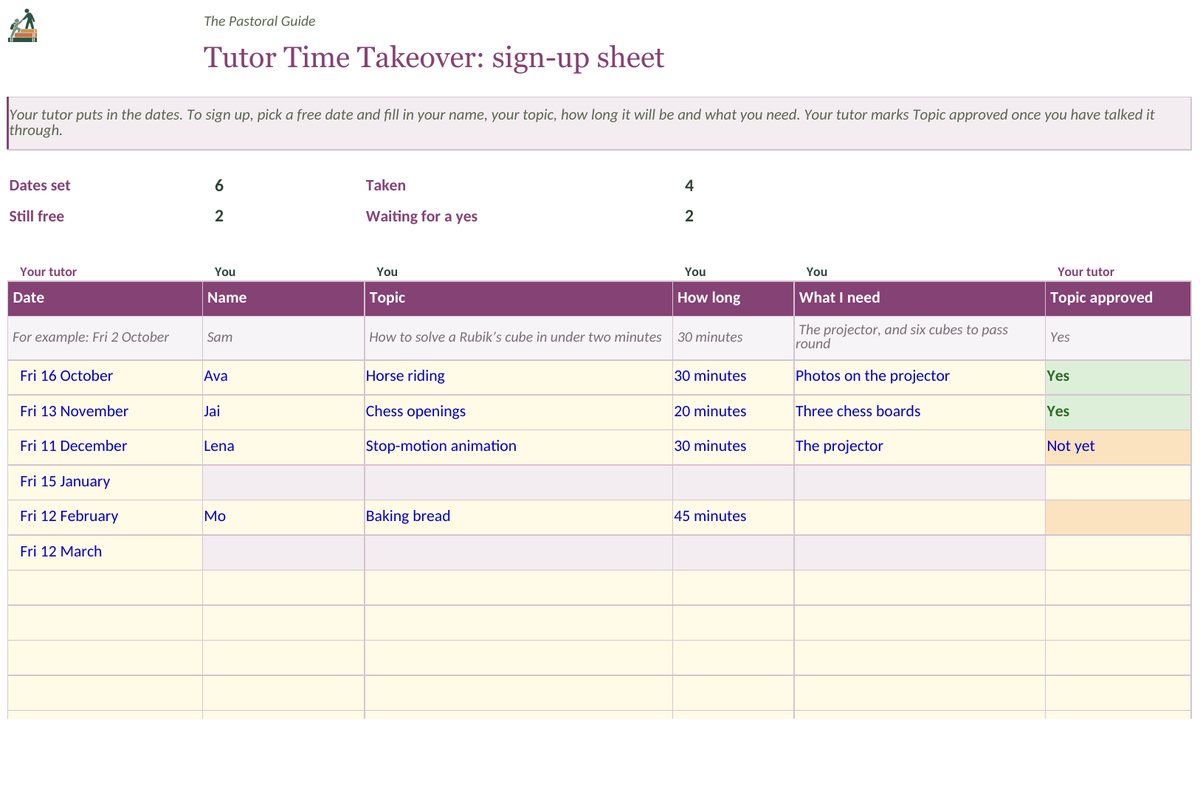
Start by putting the takeover dates on a shared spreadsheet, either once a month or once a half term, and share it with the form. Any student who wants to teach then picks a date and adds their name, their topic, how long they need and what they need.
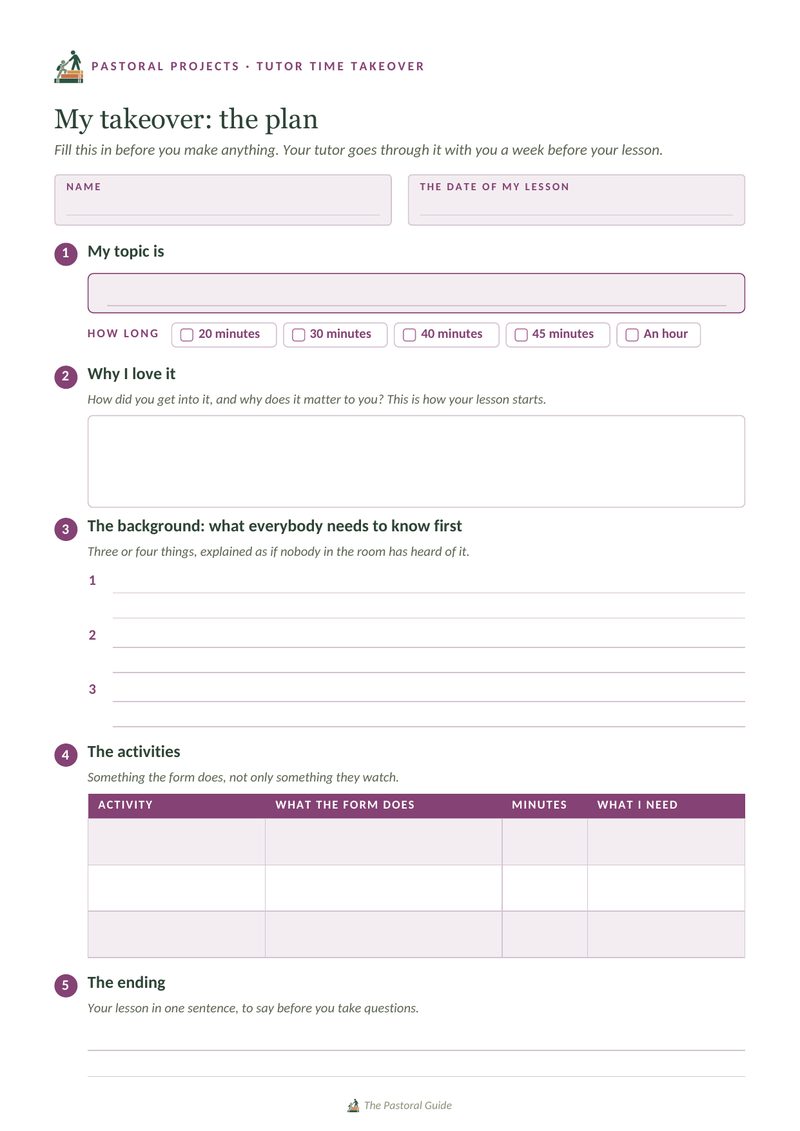
Approve the topic first. Then, the week before, look over the student’s planner together, checking the timings, anything they will show on screen and what they need on the day.
A takeover can last twenty minutes in Year 7, building up to an hour in the sixth form. The student makes everything themselves, while you sit at the side and keep time.
Everybody fills in an exit ticket with one thing they learned and one question they would ask. The student reads them, then fills in a reflection on the back of their planner.
It is fine if only two or three students sign up in the first term, and others often follow once they have seen one. You approve every topic before it goes on the sheet, and see anything they will put on screen before the day.
A look inside
Get the project
Put your dates into the spreadsheet and share it with the form, then print the planner for each student who signs up.
The sign-up sheet
A spreadsheet to share with the form. You put in the dates, and students add their name, topic, how long and what they need. It also counts how many dates are still free.
Download Printable PDFTeacher resource pack
Six pages: the guide, a page on running one, the student guide, the planner with its reflection, and exit tickets six to a sheet.
DownloadNew resources are added as they are made. Leave your email and you will get one email each time something new goes up, and nothing else.
Thank you. A confirmation email is on its way to you, and once you click the link in it, you will be on the list.
Sorry, that did not go through. Please try again, or email thepastoralguide@gmail.com and I will add you by hand.
There are no newsletters, and your address is never shared. How your details are handled.
This is free to download, the same as everything else here. If it saved you some prep time, you’re welcome to leave something toward the site’s running costs.
Support the site